How does the Media Library work?
To access your media in Mvix CMS, go to the Media Library under the Media tab. This is where you can view, organize, and manage all your media items.
The Media Library includes ready-to-use content, previews, and bulk editing tools, giving you a clear view of both active and expired media in your CMS. You can also perform bulk actions, making it easy to manage large amounts of content at once. For example, if you need to remove last month’s digital signage content at an educational institution, you can delete multiple items in a single action instead of removing them one by one.
To keep your content organized, you can group media into Media Groups based on purpose, theme, or any structure that fits your workflow.
What You’ll Need:
Getting Started
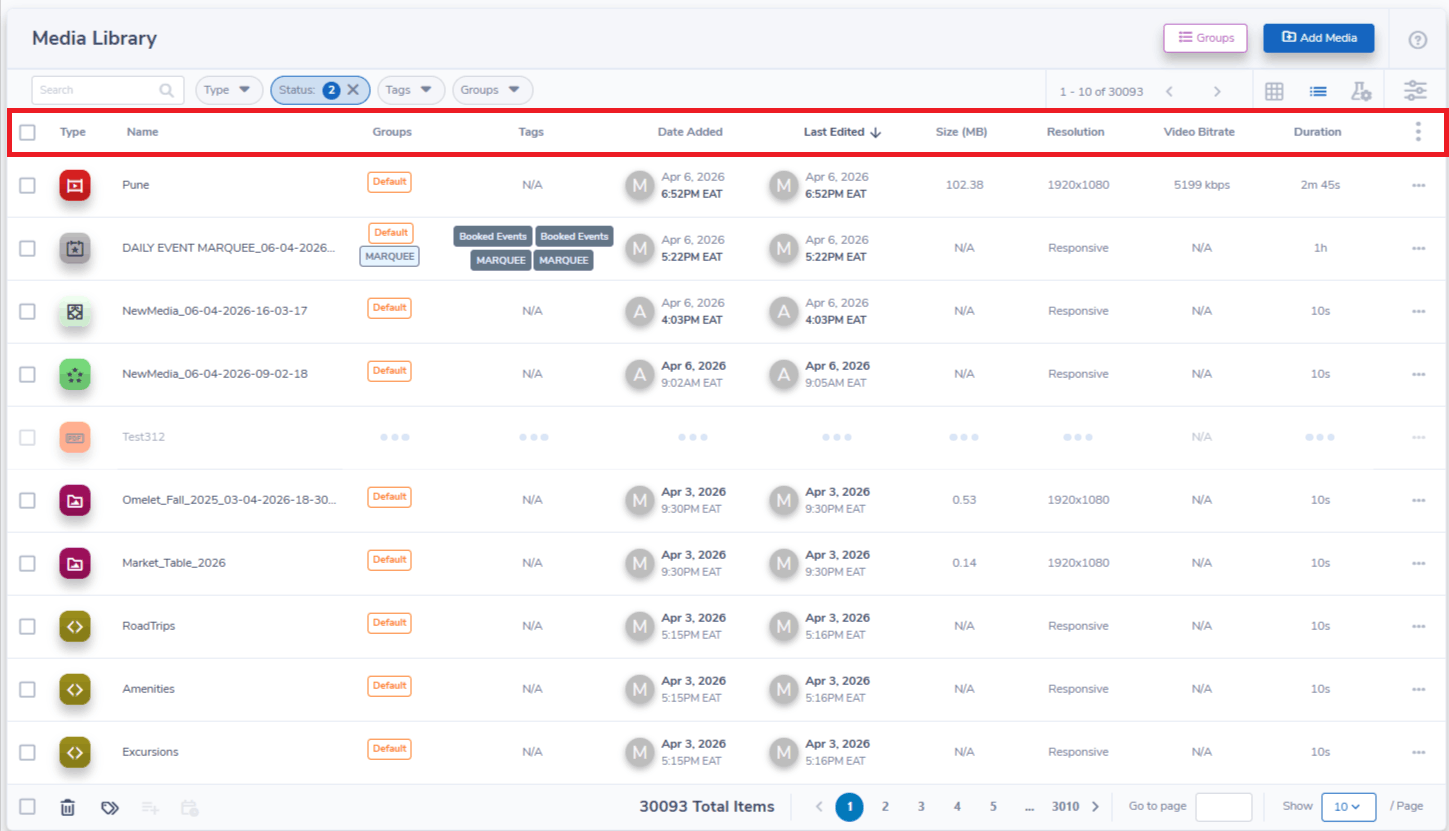
By default, there are several items in the category bar.
- Check Box - Used to select media items
- Type - What kind of Media item. E.g. Image, QR code.
- Name - The name of a Media item
- Groups - Any groups a Media item belongs to.
- Duration - How long does the item playback?
- Last Updated - The last time the Media item was modified
- Size - The size of a Media item in Megabytes. (This is only used with the File Upload feature)
- Tags - Any Tags which have been applied to a Media item.
- Resolution - The resolution of a given Media item. Items marked as Responsive have an automatically adjusted resolution.
Managing Media Individually
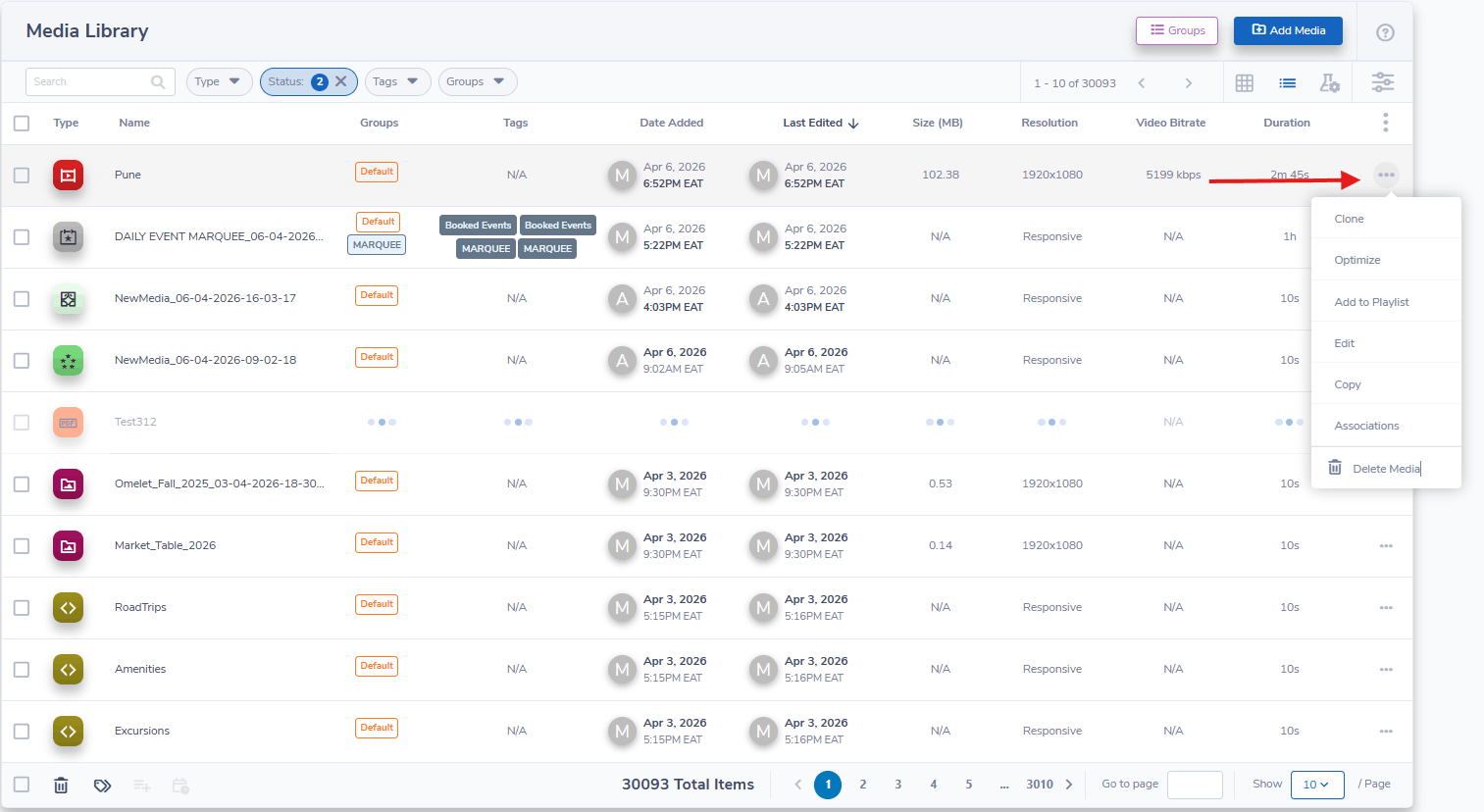
Select the gear icon on the right-hand side of a Media Item. There are four options available:
- Clone - Creates a copy of a Media Item
- Add to Playlist - Adds a Media Item to a Playlist
- Edit - Modify a Media Item
- Delete Media - Permanently removes an item from the Media Library.
Managing Multiple Media Items
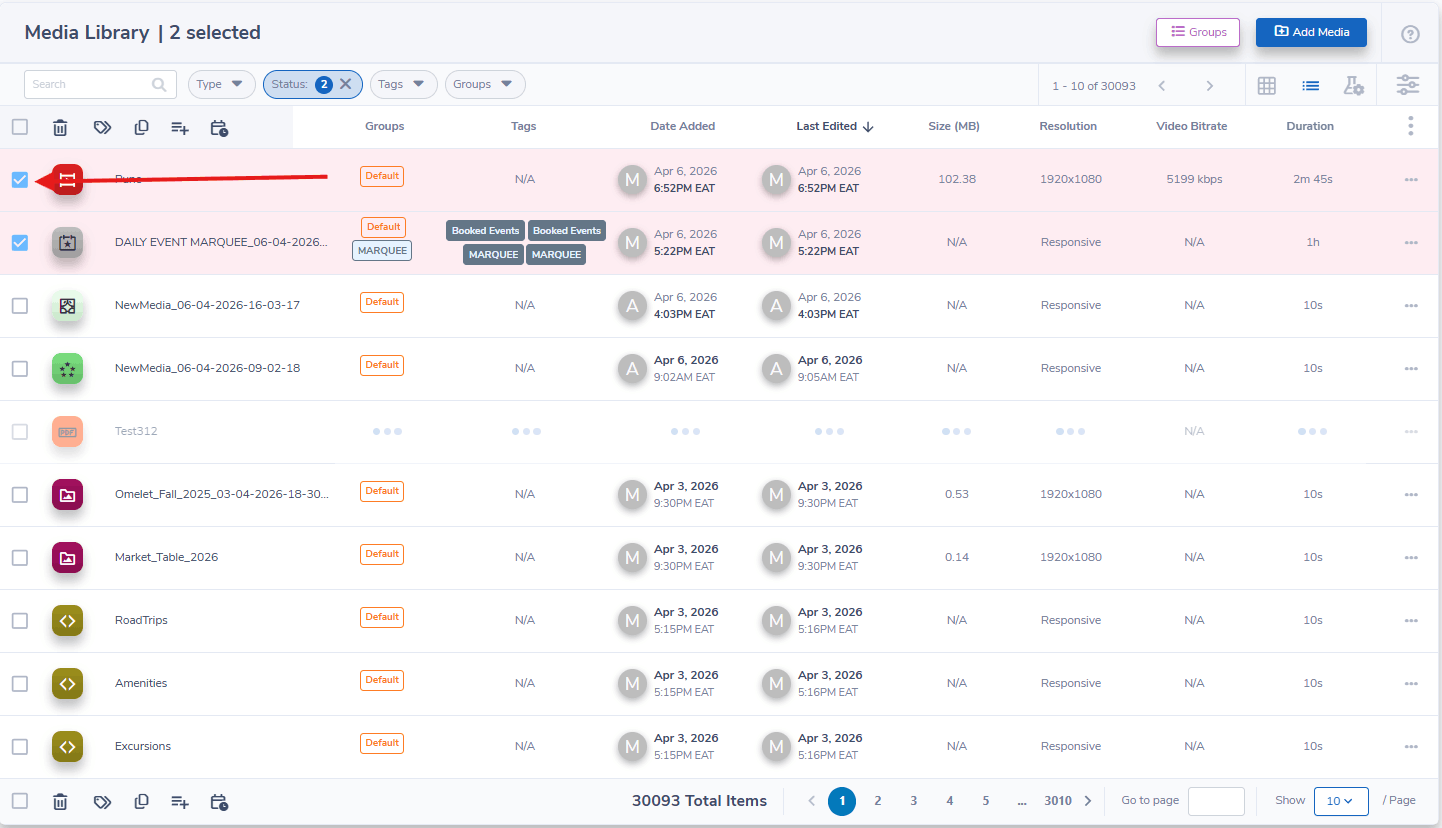
- Press the empty gray box to the left of the Media Icon to “check” the box and select a media item
Add tags to Media Items and Media Items to a Playlist
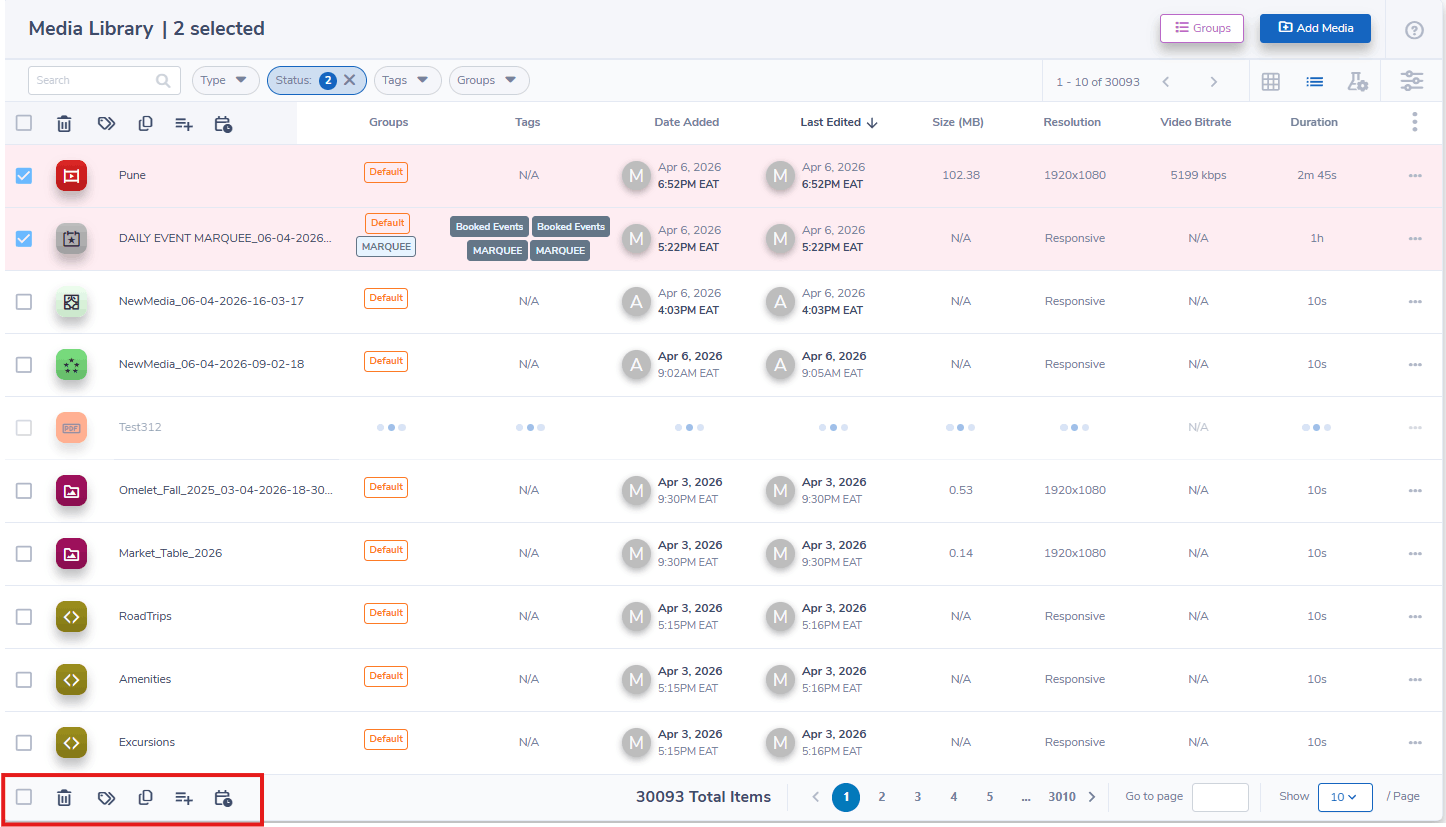
In the bottom left-hand corner there are four options available:
- Select all items on the list
- Delete all selected items permanently from the Media library
- Tag all selected items
- Add all selected items to the playlist.
Let Us Do It For You!
Fresh and relevant content is the cornerstone of a successful digital signage campaign. Don’t have time to manage your Digital Signage System or do you want your screens to look professionally designed? Let us do it for you. We will manage your digital signage screens for a fraction of the cost and minimize downtimes. Learn more about our Managed Service Plans.